
Card Studio
program, clone, assign and ship cards.
The desktop app for the people who prepare cards before they reach customers. It runs on macOS and Windows with an ACS ACR122U reader, or with a simulated reader. Everything stays on the computer: no cloud, no account.
01Start it
macOS: cd apps/card_studio && ./run.sh. Windows: double-click run.bat. Plug in the reader first; its LED lights up red. Details and options: Installation.
The studio is a small local server plus an interface in your browser (or in its own window with pywebview). The server listens on 127.0.0.1 only and needs a random key that changes at every launch, so other web pages cannot drive the reader. Keep the terminal window open while you work.
02Dashboard
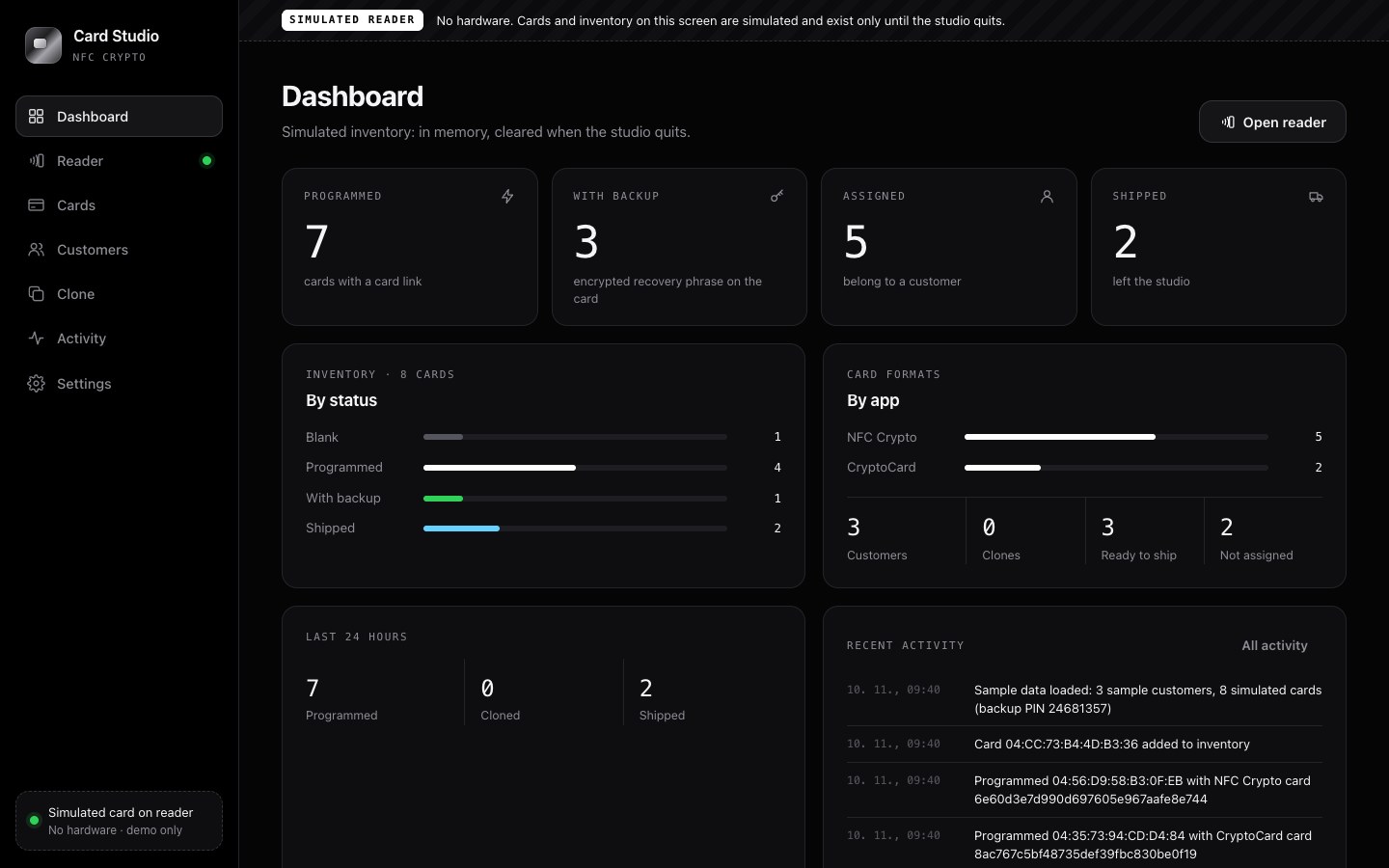
Where every card stands: programmed, with backup, assigned, shipped. Inventory by status and by card format, customers, clones, ready to ship, the last 24 hours and recent activity.
03Reader
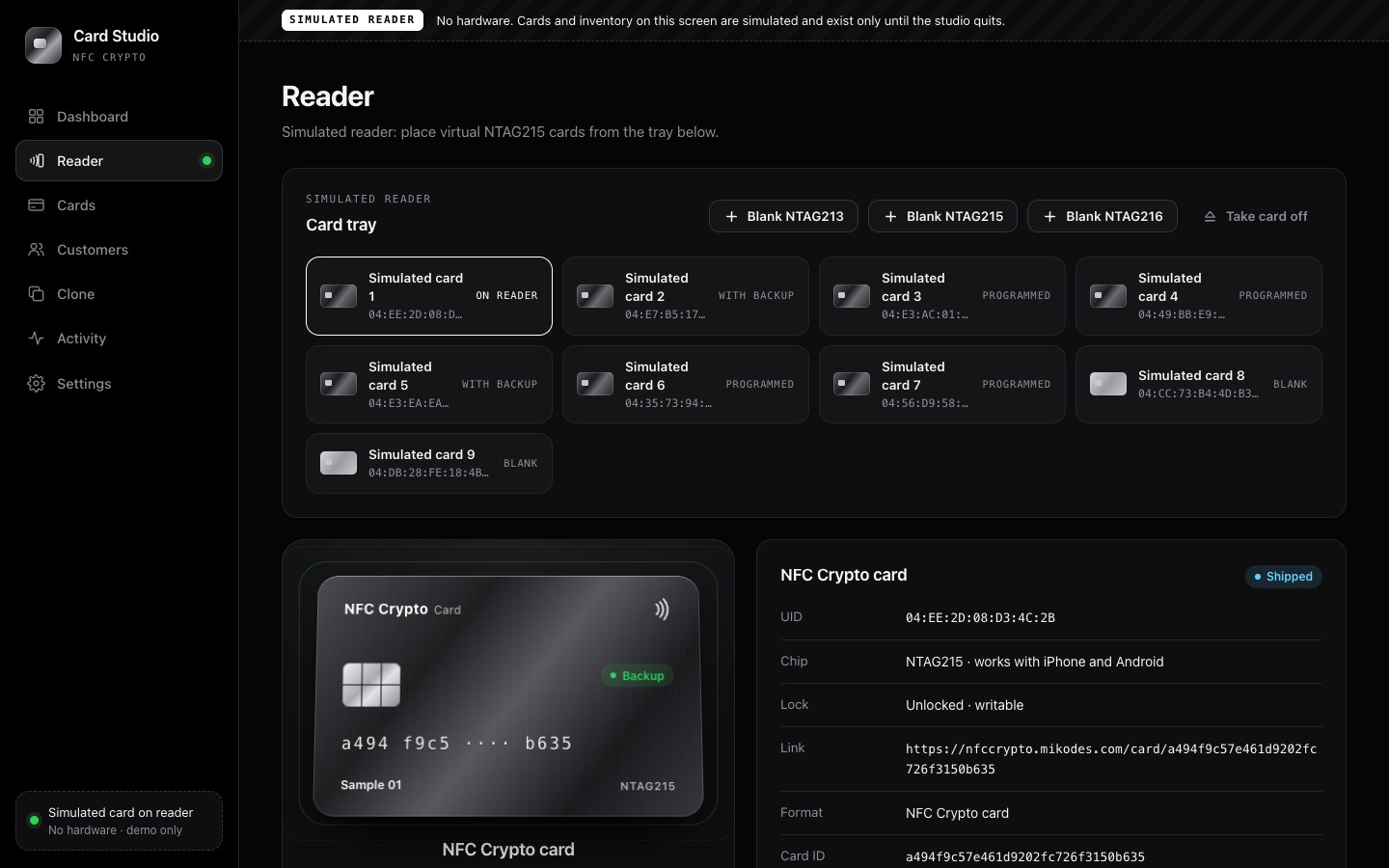
A live view of the card on the reader: UID, chip (NTAG213, 215 or 216), lock state, card link, card ID, recovery backup (yes or no, word count, KDF cost) and free space. From here you can:
- Program a new card, in the NFC Crypto or the CryptoCard format.
- Batch program N cards: lay cards on the reader one after another; each gets a fresh random card ID, is read back and added to the inventory.
- Check a backup PIN without showing the words.
- Erase a card, add it to the inventory, assign it to a customer, mark it shipped.
04Cards
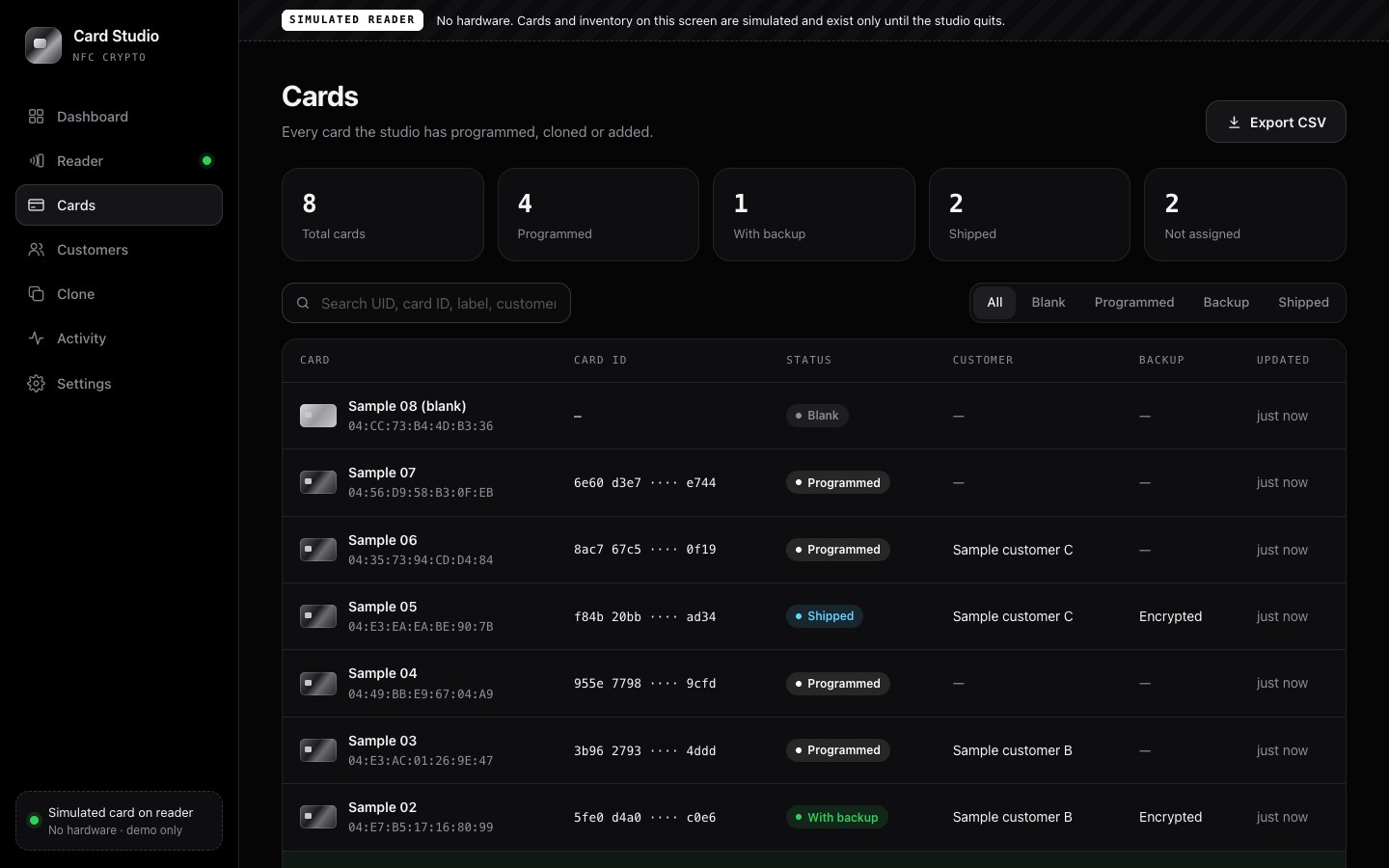
The inventory: every card programmed, cloned or added, with its status (blank, programmed, with backup, shipped), customer and clone origin. Search, filter, edit, and export as CSV.
05Customers
Who gets which card. Add, edit and remove customers, see their cards, export as CSV. CSV exports neutralise spreadsheet formulas.
06Clone
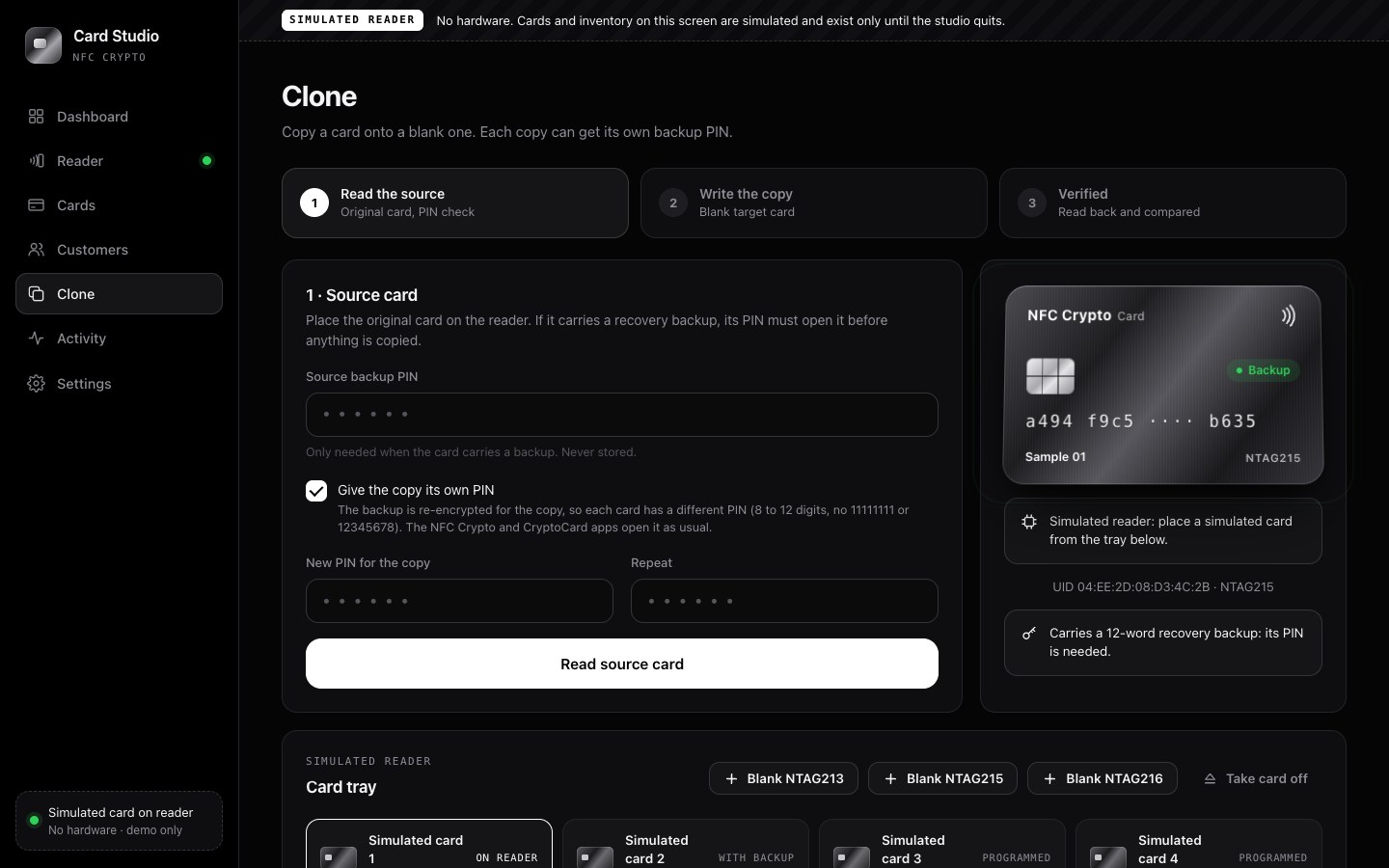
Copy a card onto a blank card in three steps: read the source, write the copy, verify.
- If the source carries a recovery backup, its PIN must open it before anything is copied.
- The copy can get its own new PIN: the backup is re-encrypted for the copy. New PINs are 8 to 12 digits, not one repeated digit and not a run like 12345678.
- The copy keeps the source's format, host and records (including receive addresses), but always gets its own new card ID. The inventory records which card it came from.
- The copy is read back and compared byte for byte.
- Clone refuses to write onto the source card, onto a card that is not blank (unless you allow it) and onto a card that is too small (a backup does not fit on an NTAG213).
07Activity
A log of everything the studio did. PINs and recovery phrases are never logged.
08Settings
Studio name, simulated reader on or off (with sample data and reset), default card format, card link host per format, exports, and Quit.
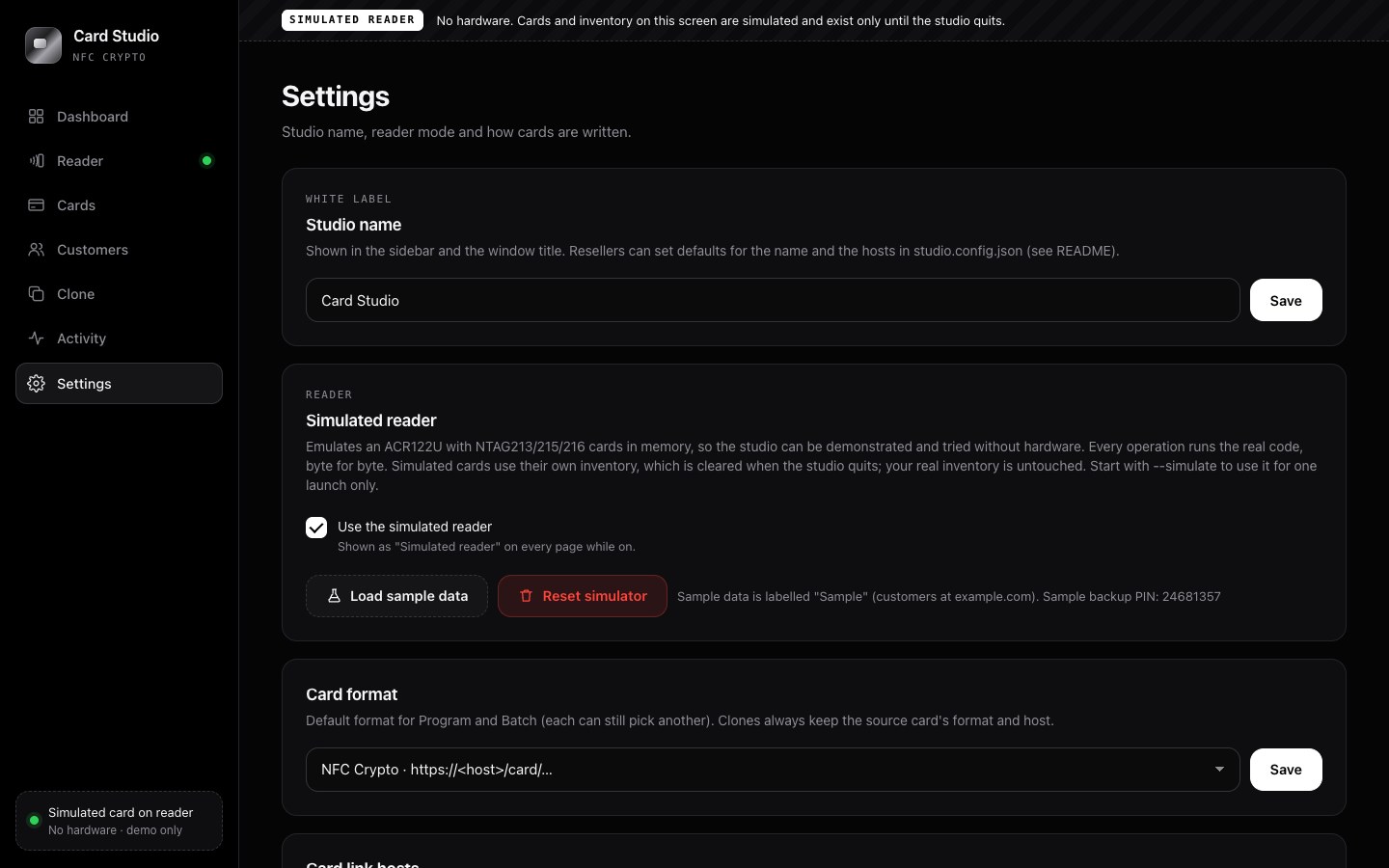
The card link host of each format must be the host your apps are built with (NFC_CARD_HOST / defaultCardHost in NFC Crypto, CARD_HOST / defaultCardHost in CryptoCard), and must be listed in NFC Recovery's cardHosts.
09Simulated reader
For demos, training and learning the studio without hardware. It emulates an ACR122U with NTAG213, 215 and 216 cards in memory and answers the same commands as the real reader, so program, batch, PIN check, clone and erase run the real code.
- Turn it on with
--simulate(this launch only) or Settings → Simulated reader (remembered). Every page then shows a Simulated reader banner. - The Reader and Clone pages get a card tray: add a blank NTAG213/215/216, take the card off, or place an earlier card again.
- Simulated cards go into a separate inventory in memory. Your real inventory is never touched, and the simulated one is gone when the studio quits or on Settings → Reset simulator.
- Load sample data (simulated reader only, empty simulated inventory only) adds three customers named "Sample customer A–C" with example.com addresses and eight cards labelled "Sample 01–08". Three carry a backup of a random phrase sealed with the sample PIN
24681357.
10A typical day
- Program. Reader → Batch program → 20 cards. Lay them on the reader one after another.
- Pair and back up. The customer (or you) pairs the card in NFC Crypto and writes the encrypted recovery backup onto it.
- Clone a spare. Clone → place the original, enter its backup PIN, choose a new PIN for the copy → place a blank card → Write the copy.
- Assign and ship. Cards → open the card → choose the customer → Mark shipped.
- Export the list as CSV for your shop or accounting.
11Safety rules built in
- Works only with NXP NTAG213/215/216. Never sets lock bits or passwords. The only one-time write is the Capability Container of a factory-blank card.
- Writes the NDEF length last and reads everything back: a card pulled away mid-write reads as empty, never as a half-written link.
- Every write and every erase zeroes the whole data area after the message and reads it back, so no bytes of an older backup survive on a reissued card. Cards erased by older studio versions may still carry leftovers: erase them again.
- Never overwrites a card that carries a recovery backup (program, batch and clone all refuse, even with "overwrite"). Erasing such a card needs the typed word
ERASEand the "destroy the backup" tick. - Programming over an existing link needs "Overwrite existing link".
- PINs and recovery phrases are never displayed, logged or stored. Decrypted bytes are zeroed right after use.
12White label
Change the studio name and the hosts in Settings, or ship your own defaults in studio.config.json next to run.sh (copy studio.config.example.json):
{
  "studio_name": "Acme Card Studio",
  "studio_tagline": "Acme Wallet",
  "default_format": "nfccrypto",
  "hosts": {"nfccrypto": "cards.acme.com", "cryptocard": "c.acme.com"}
}
Every key is optional. What the operator saves in Settings wins over the file. An invalid file stops the launch with a clear message. --config FILE or the CARD_STUDIO_CONFIG variable point to a file elsewhere.
The Android package written on cards is not in this file; see White label → Card Studio.
13Data and backups
The inventory is a SQLite database per user:
- macOS:
~/Library/Application Support/NFC Crypto Card Studio/studio.db - Windows:
%APPDATA%\NFC Crypto Card Studio\studio.db
Back it up like any other file. --data-dir PATH or the CARD_STUDIO_DATA variable use another folder. The database holds no PINs and no phrases.
14Package it as an app
Build on each platform with PyInstaller (it does not cross-compile). macOS:
.venv/bin/pip install pyinstaller
.venv/bin/pyinstaller --noconfirm --windowed --name "NFC Crypto Card Studio" \
  --add-data "studio/web:studio/web" \
  --collect-submodules smartcard --hidden-import _cffi_backend \
  studio_app.py
# -> dist/NFC Crypto Card Studio.app
Windows (PowerShell):
.venv\Scripts\pip install pyinstaller
.venv\Scripts\pyinstaller --noconfirm --windowed --name "NFC Crypto Card Studio" `
  --add-data "studio/web;studio/web" `
  --collect-submodules smartcard --hidden-import _cffi_backend `
  studio_app.py
Use your studio name for --name. Add --add-data "studio.config.json:." (Windows: "studio.config.json;.") to include your config. Install pywebview first to get a native window. Sign the result (macOS: Developer ID and notarisation; Windows: Authenticode), or users will see a security warning. These packaging commands come from the studio's README and were not run for this documentation.
15Limits
- One reader at a time; the studio uses the first NFC reader it finds.
- An NTAG215 card can be copied by anyone who holds it; that is exactly what the Clone page does. See Security.